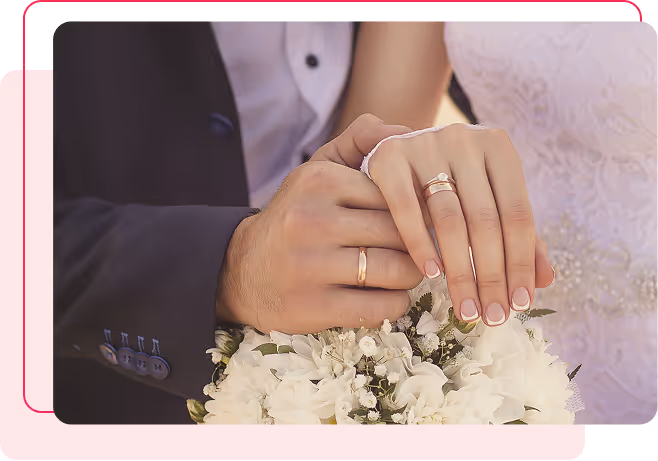
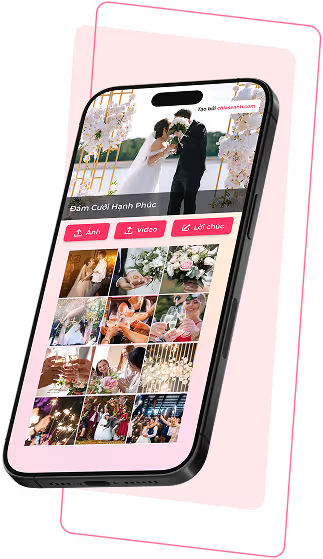
Guests effortlessly share photos, videos, and heartfelt wishes, creating a wedding album full of life and emotion on your special day.
Step 1
Create event
Step 2
Share a QR code or link
Step 3
Quests upload photos, videos, or messages
Step 4
Display live slideshows and save your event album
Step 1
Create event
Step 2
Share a QR code or link
Step 3
Guests upload photos, videos, or messages
Step 4
Display live slideshows and save your event album

A glance, a smile among friends
Little behind-the-scenes moments the main camera couldn’t capture
Every moment seen from the guests’ point of view
Guests’ perspectives make your wedding album more personal than professional photos alone.
No setup required - place a QR code and guests can start sharing instantly.
Guests’ perspectives make your wedding album more complete and authentic.
New photos and videos appear instantly during the wedding, perfect for displaying on TVs, projectors, or large screens.
Guests’ wishes are shared in real time and preserved as part of your wedding memories.
Only guests with the link or QR code can join. You can preview and approve content before it appears.
Guests’ perspectives make your wedding album more complete and authentic.
New photos and videos appear instantly during the wedding, perfect for displaying on TVs, projectors, or large screens.
Guests’ wishes are shared in real time and preserved as part of your wedding memories.
Only guests with the link or QR code can join. You can preview and approve content before it appears.
No. Guests simply scan the QR code or open the event link to participate.
No. Guests can upload content immediately after opening the link. Only the event organizer needs an account to manage the album.
You can place the QR code on guest tables, at the photo area, on the backdrop, or display it on a TV or screen during the celebration.
Yes. Only guests with the event link or QR code can access and share content.
Yes. You can preview, approve, or hide guest uploads before they appear in the album or slideshow.
Yes. You can download all photos and videos and share the digital album with guests after the wedding ends.
Không. Khách mời chỉ cần quét mã QR hoặc mở đường dẫn.
Không. Chỉ cần vào đường dẫn, khách mời có thể đăng tải ngay lập tức. Chỉ người quản lý album cần đăng ký.
Có. Ảnh và video tải lên sẽ được cập nhật liên tục và hiển thị trong slideshow trực tiếp.
Có. Bạn có thể xem trước, duyệt hoặc ẩn nội dung trước khi chúng xuất hiện trong album hoặc slideshow.
Có. Chỉ những người có link hoặc mã QR của sự kiện mới có thể truy cập và chia sẻ nội dung.
Có. Bạn có thể tải hình ảnh, video và chia sẻ album số với khách mời sau khi sự kiện kết thúc.
Không. Khách mời chỉ cần quét mã QR hoặc mở link và chia sẻ ảnh, video trực tiếp trên trình duyệt.
No. Guests can upload content immediately after opening the link. Only the event organizer needs an account to manage the album.
You can place the QR code on guest tables, at the photo area, on the backdrop, or display it on a TV or screen during the celebration.
Yes. Only guests with the event link or QR code can access and share content.
Yes. You can preview, approve, or hide guest uploads before they appear in the album or slideshow.
Yes. You can download all photos and videos and share the digital album with guests after the wedding ends.